
Site Packages
Introduction
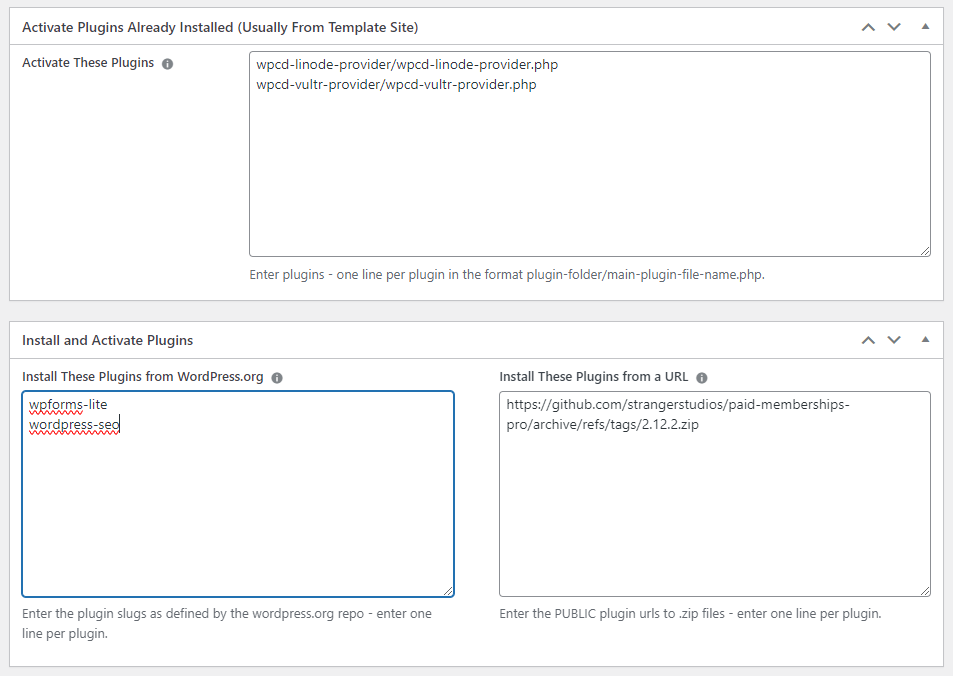
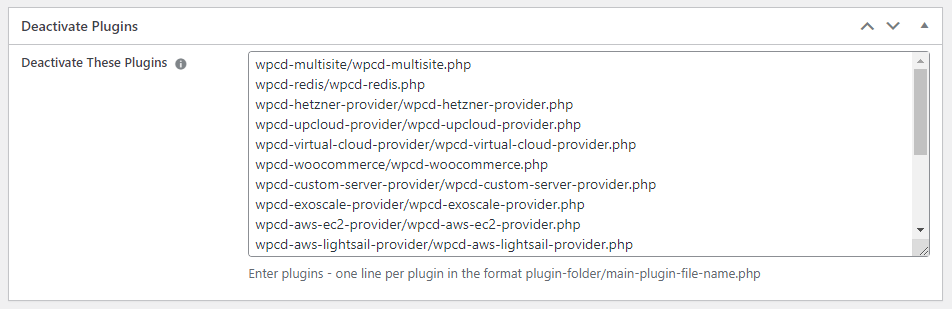
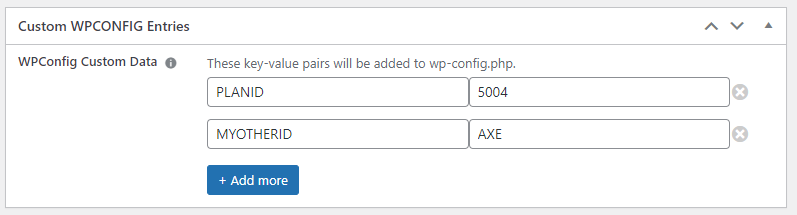
Site packages are a way to create re-usable configurations that can be applied to a new website. These configurations can include any combination of:
- Plugins to add, remove and/or activate
- Themes to add, remove and/or activate
- PHP Workers configuration (NGINX)
- PHP Version (NGINX)
- Select PHP variables such as max_execution_time, max_memory_limit etc.
- WPConfig.php entries (add only)
- Custom Bash Scripts to execute just after a site is created and after all other configuration(s) have been applied.
Plugin & Theme sources can be from wordpress.org or from any other url that resolves to a .zip plugin/theme file.
Using Site Packages
You select a site package when creating a new site:

WooCommerce Integration
If you have our WooCommerce module, site packages can be used with WooCommerce products. When activated, there are a few extra fields specific to WooCommerce functionality.
It also allows you to apply the package rules to template sites – which means you can create sites that contain most or all of your plugins and themes and then use Site Packages to control which are activated and deactivated for each plan/product.
Limitations
- When you create a new site, all rules are applied immediately. Which means that if you have a lot of rules (eg.: you have a lot of plugins/themes that need to be installed and/or activated), you might run into a PHP timeout or CloudFlare timeout issue.
- A site package can only be applied to a new WordPress site – not a clone or staging site. However, when integrated with WooCommerce, site/product packages can be applied to products that use templates.
Related Videos
Related Articles
WPCloudDeploy v5.4.0 Release Notes
WPCloudDeploy v5.5.0 Release Notes
WPCloudDeploy v5.6.0 Release Notes
More Topics In Admin
Restoring From AWS S3 Into A New Site or Server
Backups With AWS S3
Restoring From Backup
6G Firewall
7G Firewall
Native Linux Cron
Disabling Sites
Password Protect A Site (HTTP Authentication)
One-click Login (AKA Passwordless Logins)
Remove/Delete Site
Manage PHP Options
Add A WordPress Administrator
Notifications and Alerts
Managing WordPress DEBUG Flags
Object Cache: MemCached
Object Cache: Redis
Monit / Healing
DNS Integration: CloudFlare
Site Update Plans
Site Expiration
White Label Colors
Adding Custom NGINX Configs
Custom Servers (Bring Your Own Server)
How To Change The IP Address For Your Server
Virtual Cloud Providers
Monitorix
File Manager
PHPMyAdmin – Database Operations
Using Remote Databases
SMTP Gateway
Server Updates
Theme & Plugin Updates
Bulk Actions on Servers
Bulk Actions on Sites
SSH Key Overrides
Webserver Types
WPCD Cron Jobs
Disk Quotas
Custom Post Type Quotas
Using Post-Processing Custom Bash Scripts
Bulk Copy To Server
Copy To Server (Automated Daily Process)
Shortcodes
Bootstrapping A WordPress Server With Our Scripts
Bootstrapping A WordPress Server With Our Scripts – Archive Version 4.x
Free Setup Requirements & Checklist


